Showing posts with label AWS. Show all posts

Saturday, 14 December 2024

Ansible URI Upload File Example


Ansible URI Module: Uploading Files with examples

Ansible is a powerful automation tool that streamlines IT infrastructure management, application deployment, and continuous delivery. Among its vast array of modules, the URI module shines when interacting with RESTful web services. If you’ve ever needed to upload a file to a web server using Ansible, the uri module is your go-to tool. This article delves deep into how you can use the uri module to upload files, with step-by-step guides, use cases, and troubleshooting tips.


Table of Contents

  1. Introduction to Ansible URI Module

    • Overview
    • Key Features
  2. Understanding File Upload with REST APIs

    • HTTP Methods and Endpoints
    • Content-Type for File Uploads
  3. Ansible URI Module: Core Features

    • Syntax and Parameters
    • Common Use Cases
  4. Uploading Files Using the URI Module

    • Example Playbook
    • Breakdown of Each Task
  5. Real-World Use Cases

    • Automating Application Configuration
    • Uploading Logs or Data to Cloud Storage
  6. Troubleshooting File Uploads

    • Debugging Tips
    • Common Errors and Fixes
  7. Best Practices

    • Securing Sensitive Data
    • Optimizing Playbooks
  8. Advanced Techniques

    • Dynamic File Uploads
    • Integrating with External Systems
  9. Examples
    • Example 1: Upload Multiple Files in a Loop
    • Example 2: Upload a File with Metadata
    • Example 3: Upload Files to AWS S3
    • Example 4: Upload Large Files in Chunks
    • Example 5: Upload Files Securely Using HTTPS Certificates
Ansible URI Upload File Example


1. Introduction to Ansible URI Module

The uri module is designed to interact with RESTful web services, making it indispensable for developers and IT administrators. It supports a wide range of HTTP methods, including GET, POST, PUT, DELETE, and more, enabling seamless integration with modern APIs.

Key Features

  • Works with any HTTP endpoint.
  • Supports authentication methods like Basic, Digest, and OAuth.
  • Handles JSON, XML, and other content types.
  • Includes built-in support for HTTP headers, status codes, and retries.

2. Understanding File Upload with REST APIs

Before diving into Ansible-specific implementations, it’s essential to understand how file uploads work with REST APIs.

HTTP Methods and Endpoints

  • POST: Commonly used for file uploads, as it allows submitting data to a server.
  • PUT: Useful for updating existing files on a server.

Content-Type for File Uploads

For file uploads, REST APIs often require:

  • multipart/form-data: To handle file data alongside additional fields.
  • Properly formatted HTTP headers specifying file type and boundaries.

3. Ansible URI Module: Core Features

The syntax of the uri module revolves around specifying the url, method, and body or body_format for requests. For file uploads, the src and headers parameters become crucial.

Syntax of example of Ansible URI Upload file form-multipart


- name: Example of URI Module
  ansible.builtin.uri:
    url: "https://example.com/upload"
    method: POST
    body_format: raw
    body: "{{ lookup('file', '/path/to/file') }}"
    headers:
      Content-Type: "multipart/form-data"

Parameters for File Uploads

  • url: The target server endpoint.
  • method: Typically POST or PUT for uploads.
  • body: The file contents, read using Ansible lookups.
  • headers: Specifies Content-Type as multipart/form-data.

4. Uploading Files Using the URI Module

Let’s walk through a complete playbook that uploads a file to a server.

Example Playbook


- name: Upload a file to a server
  hosts: localhost
  tasks:
    - name: Upload file using URI module
      ansible.builtin.uri:
        url: "https://api.example.com/upload"
        method: POST
        headers:
          Content-Type: "multipart/form-data"
          Authorization: "Bearer {{ api_token }}"
        body_format: raw
        body: "{{ lookup('file', '/path/to/local/file.txt') }}"
      register: upload_response

    - name: Display server response
      debug:
        var: upload_response

Task Breakdown

  1. API Authentication: Uses a bearer token for secure access.
  2. File Reading: Reads the local file using the lookup('file') function.
  3. Server Response: Captures and displays the server’s response.

5. Real-World Use Cases

Automating Application Configuration

Uploading configuration files to application servers during deployment is a common scenario.

Uploading Logs or Data to Cloud Storage

Ansible can upload diagnostic logs or datasets to cloud storage services like AWS S3 or Google Cloud Storage via REST APIs.


6. Troubleshooting File Uploads

Even with a robust playbook, issues can arise. Here’s how to tackle them:

Debugging Tips

  • Enable Ansible debugging: ansible-playbook -vvv.
  • Check server logs for more insights.

Common Errors and Fixes

  1. HTTP 401 Unauthorized:
    • Ensure the authentication token or credentials are correct.
  2. HTTP 415 Unsupported Media Type:
    • Verify the Content-Type header matches the API requirements.
  3. Connection Timeout:
    • Increase the timeout using the timeout parameter.

7. Best Practices

Securing Sensitive Data

  • Use Ansible Vault to encrypt tokens or credentials.
  • Store sensitive variables in environment files.

Optimizing Playbooks

  • Use loops for uploading multiple files.
  • Modularize tasks for reusability.

8. Advanced Techniques

Dynamic File Uploads

Generate file paths dynamically based on playbook variables or facts.

Integrating with External Systems

Combine the uri module with other tools like Jinja2 templates or Python scripts for complex workflows.


Tuesday, 10 December 2024

AWS SageMaker Interview Questions and Answers

 Introduction

Amazon SageMaker is a fully managed machine learning service that enables data scientists and developers to build, train, and deploy ML models quickly. As businesses increasingly adopt SageMaker for its ease of use and scalability, the demand for professionals skilled in SageMaker has grown. This guide serves as a roadmap for anyone preparing for an AWS SageMaker interview, covering key topics, prerequisites, and frequently asked questions with detailed answers.

AWS SageMaker Interview Questions and Answers

Prerequisites for AWS SageMaker Interview Preparation

Before diving into SageMaker-specific topics, ensure you meet the following prerequisites:

1. Basic Understanding of Machine Learning (ML)

  • Familiarity with supervised, unsupervised, and reinforcement learning.
  • Knowledge of common ML algorithms (e.g., linear regression, decision trees, SVMs).

2. AWS Fundamentals

  • Proficiency in AWS core services such as EC2, S3, IAM, and CloudWatch.
  • Experience with AWS CLI and the AWS Management Console.

3. Python Programming

  • Strong coding skills in Python, as SageMaker extensively uses Python SDKs.
  • Familiarity with libraries like NumPy, pandas, scikit-learn, TensorFlow, and PyTorch.

4. Docker and Containers

  • Understanding how to create and manage Docker containers.
  • Familiarity with deploying containerized applications.

5. DevOps and MLOps Basics

  • Knowledge of CI/CD pipelines, version control (Git), and tools like Jenkins or AWS CodePipeline.
  • Concepts of monitoring, logging, and automating ML workflows.

AWS SageMaker Core Concepts to Master

To ace an interview, you should have a firm grasp of the following topics:

  1. Key SageMaker Features:

    • SageMaker Studio
    • Built-in algorithms
    • Training and tuning jobs
    • Model hosting and deployment options (e.g., real-time, batch, and multi-model endpoints)
  2. Data Handling:

    • Data preprocessing and feature engineering using SageMaker Processing jobs.
    • Integration with AWS Glue for ETL tasks.
  3. Security and Cost Optimization:

    • Role of IAM policies in SageMaker.
    • Managing costs through spot instances and managed endpoints.
  4. Use Cases and Real-World Applications:

    • Fraud detection, recommendation systems, and predictive maintenance.

AWS SageMaker Interview Questions and Answers

Below is a curated list of commonly asked questions in AWS SageMaker interviews, categorized by difficulty.

Basic Questions

Q1. What is AWS SageMaker?

Answer: AWS SageMaker is a managed service that provides tools for building, training, and deploying machine learning models. It simplifies the ML workflow by integrating data preparation, algorithm selection, training, and deployment into a single platform.


Q2. What are the main components of SageMaker?

Answer: The main components are:

  • SageMaker Studio: An IDE for ML workflows.
  • Training Jobs: Allows users to train models using custom or built-in algorithms.
  • Endpoints: For deploying trained models to serve predictions in real-time.
  • Processing Jobs: For data preprocessing and feature engineering.

Q3. What is SageMaker Ground Truth?

Answer: SageMaker Ground Truth is a data labeling service that helps create high-quality training datasets using human labelers and machine learning techniques to automate labeling tasks.


Q4. What are SageMaker's built-in algorithms?

Answer: Some built-in algorithms include:

  • Linear Learner
  • XGBoost
  • K-Means Clustering
  • DeepAR
  • Factorization Machines

Intermediate Questions

Q5. Explain how SageMaker supports distributed training.

Answer: SageMaker enables distributed training by:

  • Allowing data parallelism: Splitting data across multiple machines.
  • Enabling model parallelism: Splitting the model across multiple GPUs.
  • Using Elastic Inference to attach the right amount of inference acceleration.

Q6. How does SageMaker handle hyperparameter tuning?

Answer: SageMaker uses automatic model tuning (a.k.a. hyperparameter optimization). It iteratively trains models with different hyperparameter combinations and selects the best-performing set based on metrics like accuracy or loss.


Q7. Describe the process of deploying a model on SageMaker.

Answer: Steps to deploy a model:

  1. Save the trained model artifacts to S3.
  2. Create a SageMaker model using the CreateModel API or SDK.
  3. Deploy the model to an endpoint for real-time predictions or a batch transform job for batch predictions.

Q8. What is the difference between batch transform and real-time endpoints in SageMaker?

Answer:

  • Batch Transform: Processes large batches of data asynchronously, ideal for batch predictions.
  • Real-Time Endpoints: Provides low-latency predictions for individual requests.

Advanced Questions

Q9. How can you secure your SageMaker workflows?

Answer: Security best practices include:

  • Using IAM roles and policies for fine-grained access control.
  • Enabling VPC configurations to isolate resources.
  • Encrypting data at rest with KMS and in transit using SSL.
  • Auditing actions with CloudTrail and logging with CloudWatch.

Q10. Explain multi-model endpoints in SageMaker.

Answer: Multi-model endpoints allow multiple models to be hosted on a single endpoint. Models are loaded into memory only when needed, optimizing costs and resources.


Q11. How does SageMaker integrate with other AWS services?

Answer: Examples include:

  • S3: For storing training data and model artifacts.
  • AWS Glue: For data transformation.
  • CloudWatch: For monitoring metrics.
  • Lambda: For automating workflows.
  • Step Functions: For creating end-to-end ML pipelines.

Q12. How would you debug a failed SageMaker training job?

Answer: Steps to debug:

  • Check the logs in CloudWatch.
  • Use SageMaker Debugger to inspect tensors and identify anomalies.
  • Verify dataset integrity and hyperparameter values.

Scenario-Based Questions

Q13. A client wants to predict customer churn using SageMaker. How would you approach this?

Answer:

  1. Gather historical customer data and store it in S3.
  2. Perform feature engineering using SageMaker Processing jobs.
  3. Train a binary classification model using XGBoost or Linear Learner.
  4. Deploy the model to a real-time endpoint for predictions.
  5. Monitor the endpoint using CloudWatch.

Friday, 6 January 2023

5 Best Online Course to Learn Amazon Web Services AWS in 2023

Amazon Web Services (AWS) is undoubtedly the most popular Cloud Computing Services today that provides on-demand cloud computing platform. 


Why learning AWS is worthful?

AWS has around 1/3rd of market share which indicates its popularity and indirectly relates to more jobs opening for AWS Engineers as compared to other Clouds. So learning AWS is worthful for System Administrator as well as Developers / Architects.


I have filtered out Top 5 best online courses for AWS which you can opt for learning in 2023.


  • The course instructor is Stephane Maarek an AWS Certified Cloud Practitioner, Solutions Architect,Developer
  • 4.7 Instructor Rating|533,519 Reviews|1,752,022 Students|41 Courses
  • Best Selling Instructor, 9x AWS Certified, Kafka Guru
  • Stéphane is recognized as an AWS Hero and is an AWS Certified Solutions Architect 
  • Professional & AWS Certified DevOps Professional.

Requirements:
  • Know the basics of IT
  • No AWS Cloud experience is necessary, we'll use the AWS Free Tier
  • Windows / Linux / Mac OS X Machine

Beginners welcome: No need to know anything about AWS!
34 sections • 389 lectures • 27h 10m total length

Keypoints:
  • 30-Day Money-Back Guarantee
  • This course includes:
  • 27 hours on-demand video
  • 13 articles
  • 1 downloadable resource
  • 1 practice test
  • Full lifetime access


  • This course is instructed by Neal Davis | AWS Certified Solutions Architect & Developer
  • AWS Solutions Architect & AWS Certified Instructor
  • Instructor Rating 4.6 |106,791 Reviews |507,614 Students | 16 Courses
Requirements:
  • This course is designed for Cloud Computing beginners and AWS beginners
  • Absolutely no prior experience necessary
Key points:
  • 12 sections • 88 lectures • 6h 52m total length
  • 30-Day Money-Back Guarantee
  • 7 hours on-demand video
  • 2 articles
  • Full lifetime access
  • Access on mobile and TV
  • Certificate of completion


  • This course is launched by BackSpace Academy and Paul Coady Cloud Technology Expert.
  • The fastest route to cloud certification.
  • BackSpace Academy is having 4.5 Instructor Rating 29,194 Reviews 403,020 Students 3 Courses and
  • Paul Coady is 4.5 Instructor Rating 21,868 Reviews 143,105 Students 1 course
  • BackSpace Academy is Providing accelerated learning programs taught by AWS professional level certified instructors since 2014. A unique approach that focusses on maximum results in the shortest possible time. Quality lecture videos reinforced with instructional and hands-on lab videos and, review tests.
  • Paul Coady is Highly experienced expert in cloud architecture design and deployment, not simply a certificate collector.Amazon Web Services Certified Professional. Providing a learn-by-doing approach produces students not only ready to pass an exam but also ready for employment. BackSpace Academy, the fastest route to cloud certification. Providing AWS Training since 2014 and still going strong.
What you'll learn
  • You will be fully prepared for the AWS Certified Solutions Architect Associate,
  •  AWS Certified Developer Associate and AWS Certified SysOps Administrator Associate
Requirements:
  • Basic understanding of computers and networking.
  • The student will require an AWS account to complete hands on labs sessions.
  • Windows, Linux or Mac PC to complete hands on labs sessions.

Key points:
  • 5 sections • 200 lectures • 45h 55m total length
  • 30-Day Money-Back Guarantee
  • 46 hours on-demand video
  • 7 articles
  • 41 downloadable resources
  • Full lifetime access
  • Access on mobile and TV
  • Certificate of completion


  • Very frequent batches
  • 4.5 Google Reviews |4.7 Trustpilot Reviews |4.5 G2 Reviews |4.4 Sitejabber Reviews
Key points:
  • Live Interactive Learning
  • World-Class Instructors
  • Expert-Led Mentoring Sessions
  • Instant doubt clearing
  • Lifetime Access
  • Course Access Never Expires
  • Free Access to Future Updates
  • Unlimited Access to Course Content
  • 24x7 Support
  • One-On-One Learning Assistance
  • Help Desk Support
  • Resolve Doubts in Real-time
  • Hands-On Project Based Learning
  • Industry-Relevant Projects
  • Course Demo Dataset & Files
  • Quizzes & Assignments
  • Industry Recognised Certification
  • Edureka Training Certificate
  • Graded Performance Certificate
  • Certificate of Completion

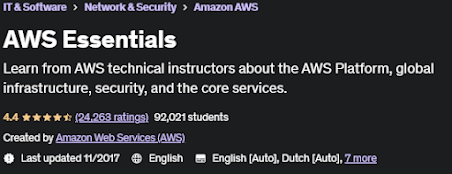
5. AWS Essentials (Udemy)


  • This course is designed by Amazon Web Services (AWS) is a subsidiary of Amazon.com
  • Amazon Web Services (AWS) 4.4 Instructor Rating | 24,888 Reviews | 123,221 Students |8 Courses
Keypoints:
  • 7 sections • 61 lectures • 3h 22m total length
  • 30-Day Money-Back Guarantee
  • 3.5 hours on-demand video
  • Full lifetime access
  • Access on mobile and TV
  • Certificate of completion
Requirements
  • Fundamental understanding of IT, storage, databases, and networking.
Disclosure: This article may contain affiliate links. When you purchase, we may earn a small commission.